Personal call guide
How to check store stock by phone
Bellobi is an AI personal assistant that calls businesses on your behalf. Give it an item, quantity and store branch, and it can call to ask whether the item is in stock. Read the call report before deciding whether to visit.
Identify the exact item and branch
Find the product code, size, color or model you need. Check the retailer's official branch page and phone number. If its stock or pickup tool already gives you the answer, you can use that route directly.
Set up your stock check
Fictional example: Sam Rivera wants one pair of Trail A1 shoes from Northside Outfitters in downtown Philadelphia. This checks stock only; it does not request a hold or place an order.
Choose New Task → Browse Task Templates → Item Availability. Use the short description and fill its three fields. Desired Quantity is a Number; here, 1 means one pair.
Task Name: Item Availability
Task Description:
Call the store to check the specified item's availability. Do not accept substitutes or place an order.| Parameter name | Type | Filled fictional value |
|---|---|---|
| Item Name | Text | Pair of Trail A1 shoes, blue, US size 9 (TA1-BL-9) |
| Desired Quantity | Number | 1 |
| Store Location | Text | Northside Outfitters, downtown Philadelphia |
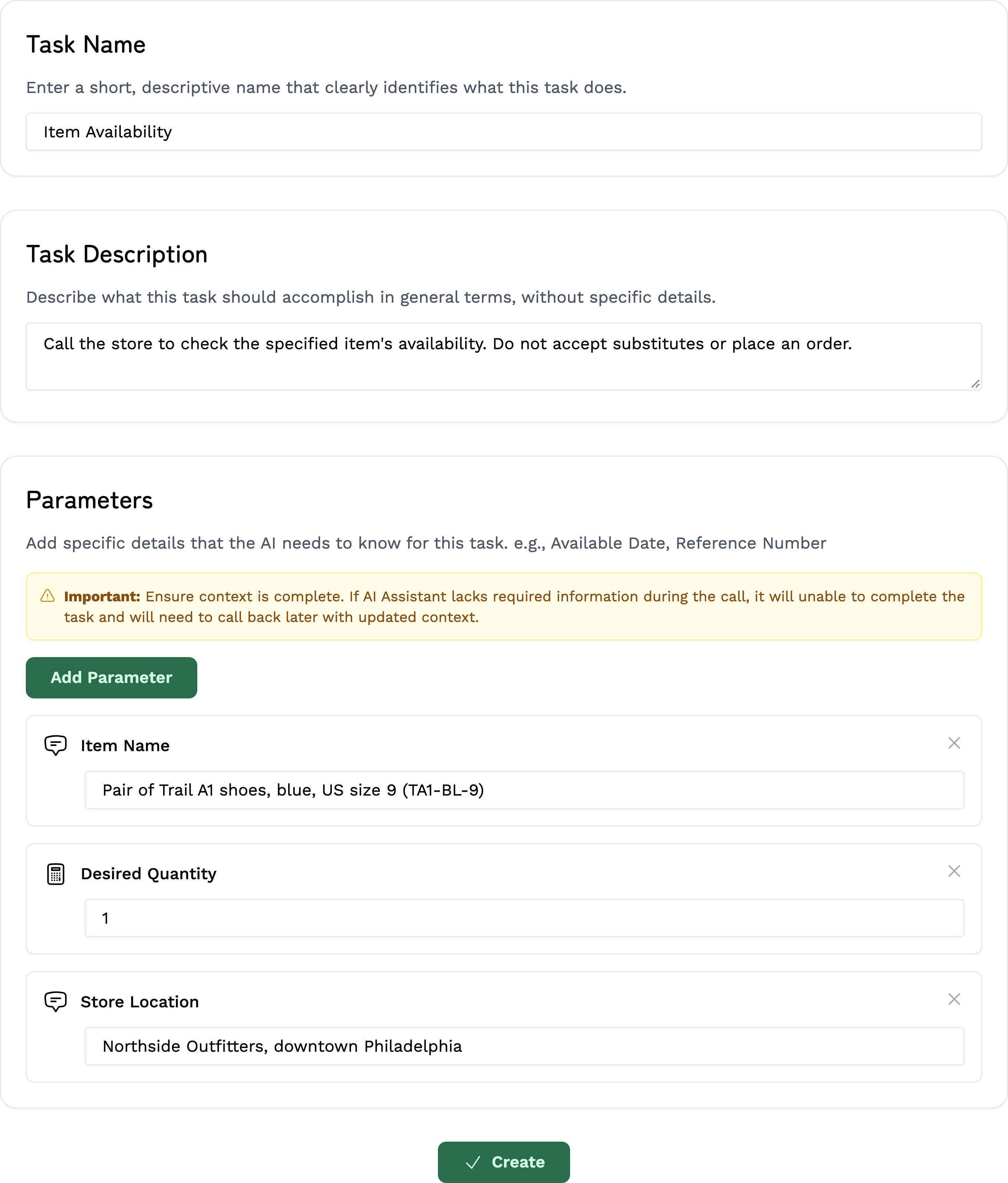
Replace the fictional item code with the real one. Keep the code, color and size together in Item Name. Put the branch in Store Location and its phone number on New Call.
Let Bellobi make the call
- Choose Create to save the task. On New Call, select Item Availability and check the details.
- Enter the branch's verified US number in Phone Number. Bellobi uses your account name and contact phone; keep them accurate.
- Read Terms Confirmation. When the call is permitted and within reasonable local hours, choose Start Call. You can also choose Schedule for later.
Review the call's result
After the call, open Call Dashboard → Completed Calls → View Report. Read Call Summary and check:
- The correct branch, item, size or variant, and quantity.
- Whether staff physically checked the item or only looked at an inventory listing.
- What the store said was available at the time of the call.
If you need more detail, read the conversation or listen under Recording, when available. Stock can change before you arrive. A stock answer is not a reservation; arrange any hold or purchase directly with the retailer.
Before you call
Use this for ordinary personal purchases, not sensitive items or business sourcing. Keep payment details and passwords out of the task. Bellobi uses the details you provide; it does not browse the store inventory or place an order in this example.
Bellobi is for adults 18+ in the US and personal, non-commercial calls to supported US numbers. Get required permission for an AI call and recording; a public number alone is not consent. Follow the Terms, make required disclosures and honor objections. Regular calls may be recorded and transcribed; see the privacy policy. Bellobi is in beta, so verify important details.