Personal call guide
How to write AI phone call instructions
Bellobi is an AI personal assistant that calls businesses on your behalf. You can hand it a routine personal task, such as checking stock or asking for a quote, with a short goal and a few details. It makes the call, and you review the result in its report.
Use a short goal and a few fields
| Part | What belongs here |
|---|---|
| Task Name | A short label you can recognize later. |
| Task Description | The goal and any essential limit, usually in one sentence. |
| Parameters | Changing facts such as the item, quantity, vehicle or appointment time. |
Use a second or third short sentence only for a needed limit, such as no substitutions or no authority to book. Most simple tasks need one to three parameters; the grooming template uses four. Keep checklists outside the description rather than pasting in a long script.
Use Text for names and service details, Number for quantities, and Date and Time for appointments. The appointment field does not convert time zones. Set when the call starts separately on New Call.
Example: check an item in stock
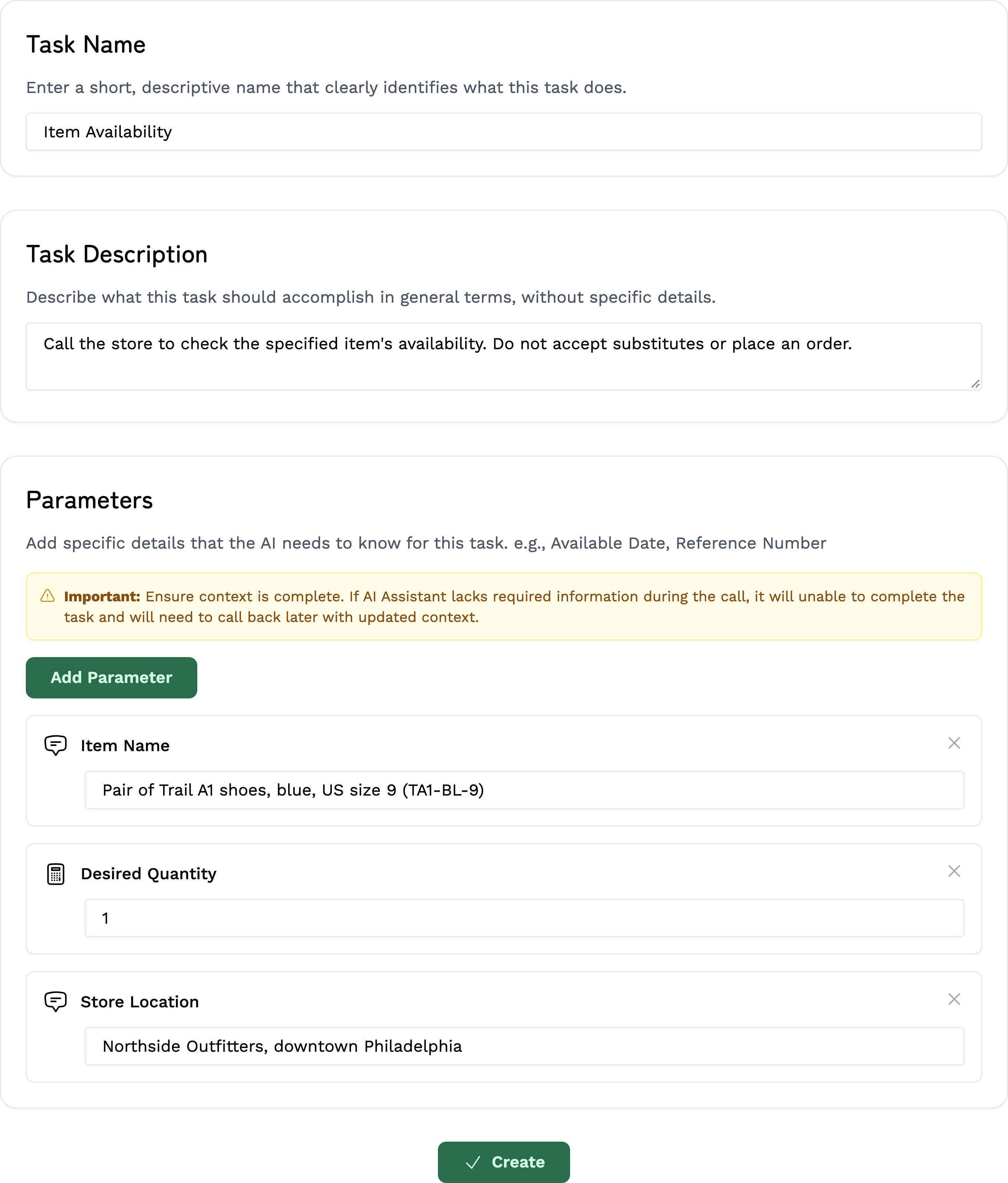
Fictional example: Sam Rivera wants one pair of Trail A1 shoes at Northside Outfitters in downtown Philadelphia, without substitutes or an order.
Before: “Call about my shoes.” The item, branch and quantity are missing. After: use this complete goal with three filled parameters.
Task Name: Item Availability
Task Description:
Call the store to check the specified item's availability. Do not accept substitutes or place an order.| Parameter name | Type | Filled fictional value |
|---|---|---|
| Item Name | Text | Pair of Trail A1 shoes, blue, US size 9 (TA1-BL-9) |
| Desired Quantity | Number | 1 |
| Store Location | Text | Northside Outfitters, downtown Philadelphia |
Create the task and call
- On New Task, choose Browse Task Templates → Item Availability and enter the example above. Use Create Manually when no template matches; an oil-change quote is a custom task.
- Choose Create, then select the task on New Call. Check its details; use Edit Task if they change.
- Enter the recipient's verified US number under Phone Number. Bellobi supplies your account name and contact phone, so keep those accurate.
- Read Terms Confirmation and start only a permitted call at reasonable local hours.
Review the call's result
After the call, open Call Dashboard → Completed Calls → View Report. Read Call Summary and check:
- Whether the business answered the question or agreed to the requested action.
- The important details: for stock, check the branch, item, quantity and what staff actually checked.
- Any missing information or step you still need to complete yourself.
If you need more detail, read the conversation or listen under Recording, when available. Verify unclear or missing details directly. A call ending does not mean the task succeeded. Update the task if your instructions need correcting.
Before you call
Do not use Bellobi for medical or dental booking, financial-account calls, insurance claims, business outreach or other excluded purposes. Incognito Mode does not make a prohibited use eligible. Keep sensitive records, credentials, payment details and private codes out of tasks.
Bellobi is for adults 18+ in the US and personal, non-commercial calls to supported US numbers. Get required permission for an AI call and recording; a public number alone is not consent. Follow the Terms, make required disclosures and honor objections. Regular calls may be recorded and transcribed; see the privacy policy. Bellobi is in beta, so verify important details.