Personal call guide
How to request a car detailing quote
Bellobi is an AI personal assistant that calls businesses on your behalf. You can hand it a car-detailing quote request so it can ask about the service and price for you. Review the call report before deciding what to book.
Choose the work you want
Describe your car, its condition and whether you want interior work, exterior work or both. A package name alone does not tell you what is included.
| Detail | What to specify or ask |
|---|---|
| Work | Areas to clean and anything to leave out. |
| Price | Total or range, taxes, travel fees and condition-related extras. |
| Next step | Whether photos or an inspection are needed to confirm the quote. |
Set up your detailing request
Fictional example: Sam Rivera wants an interior-only quote from Cedar Detail Studio for a personal car. The condition is supplied by Sam; it is not an inspection.
Use New Task → Create Manually. Add three Text parameters for the car, work and condition.
Task Name: Car detailing quote
Task Description:
Call to request an itemized detailing quote for my personal car. Do not book, authorize work, or agree to charges.| Parameter name | Type | Filled fictional value |
|---|---|---|
| Vehicle | Text | 2020 Toyota Corolla sedan |
| Requested services | Text | Seats, mats, carpets, dashboard, and interior glass; no exterior work. |
| Interior condition | Text | Crumbs on floor mats and dog hair on the rear seat. |
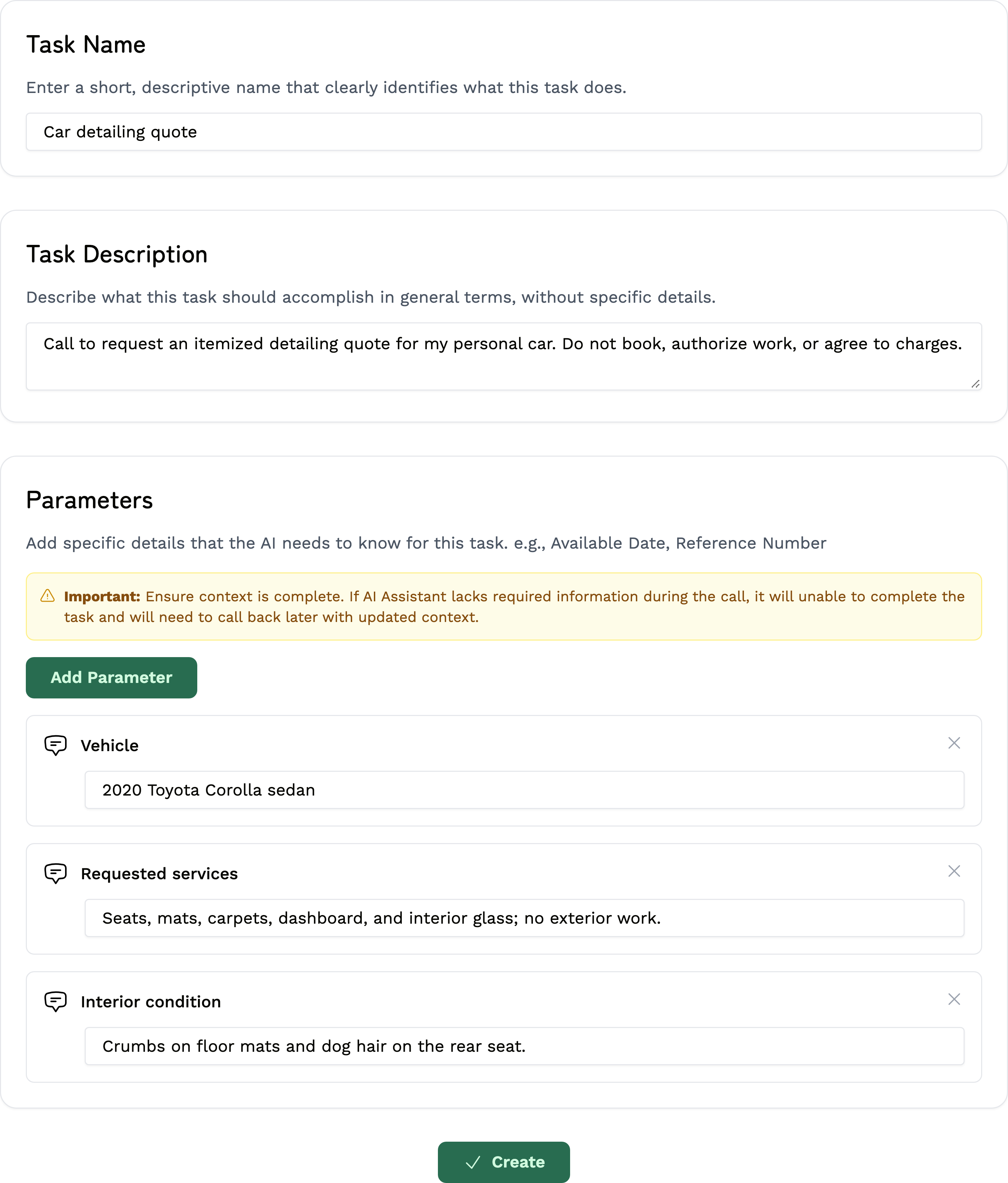
This example leaves out exterior work, paint correction, coatings and engine-bay work. Send any requested photos directly to the detailer; Bellobi does not upload or inspect them.
Let Bellobi make the call
- Choose Create to save the task. On New Call, select Car detailing quote and check the details.
- Enter the detailer's verified US number in Phone Number. Bellobi uses your account name and contact phone; keep them accurate.
- Read Terms Confirmation. When the call is permitted and within reasonable local hours, choose Start Call. You can also choose Schedule for later.
Review the call's result
After the call, open Call Dashboard → Completed Calls → View Report. Read Call Summary and check:
- The areas and services included in the price.
- The amount or range, taxes, travel fees and any pet-hair or stain extras.
- Whether photos or an inspection are still needed.
If you need more detail, read the conversation or listen under Recording, when available. Confirm anything unclear directly with the detailer. The request asks for a quote; it does not book a visit or approve extras.
Before you call
Use this for your own car, not business or fleet work. Bellobi does not assess damage or safety. Keep payment details and passwords out of the task, and handle payment directly.
Bellobi is for adults 18+ in the US and personal, non-commercial calls to supported US numbers. Get required permission for an AI call and recording; a public number alone is not consent. Follow the Terms, make required disclosures and honor objections. Regular calls may be recorded and transcribed; see the privacy policy. Bellobi is in beta, so verify important details.