Personal call guide
How to get a house cleaning quote
Bellobi is an AI personal assistant that calls businesses on your behalf. Hand it your home-cleaning quote request, and it can ask the cleaner about the work and price for you. After the call, open the report to see the reply.
Choose the cleaning you need
List the rooms, home size, cleaning frequency and any extras. Give each cleaner the same list so you can compare their replies. An online quote form may also answer your question.
Ask whether the price is an estimate or a confirmed total, and whether a home walkthrough is needed.
Set up your quote request
Fictional example: Sam Rivera wants a one-time clean from Maple Home Cleaning for a private apartment. This request asks for a quote only.
Go to New Task → Create Manually. Enter this short description and add two Text parameters for the home and cleaning you want.
Task Name: Home cleaning quote
Task Description:
Call to request an itemized cleaning quote for my home. Do not book or agree to charges.| Parameter name | Type | Filled fictional value |
|---|---|---|
| Home | Text | Private apartment, Philadelphia 19104; 2 bedrooms, 1 bathroom, about 900 sq ft |
| Cleaning scope | Text | One-time surfaces and floors throughout; exclude appliance interiors, windows, and laundry. |
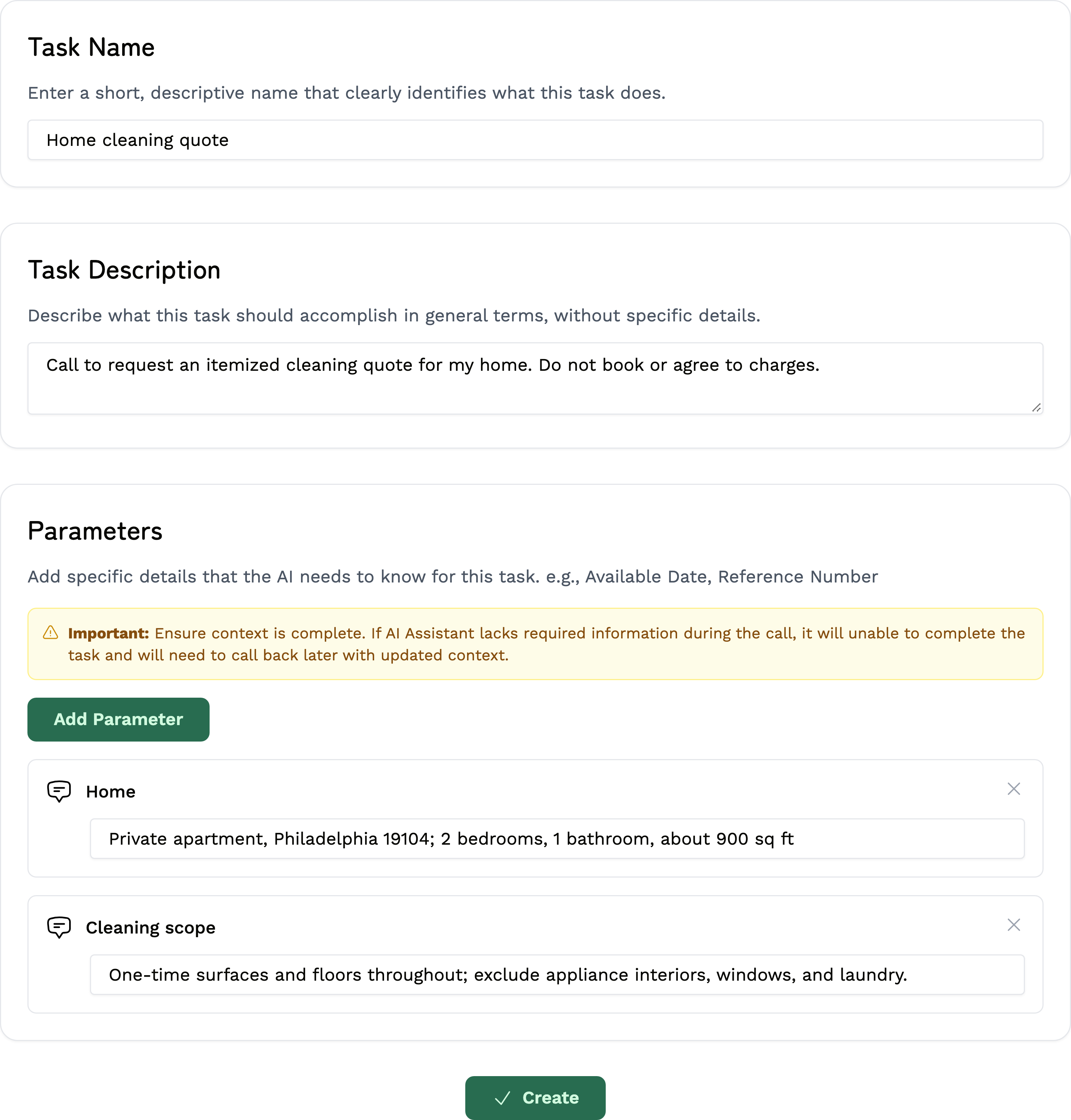
Change the two fields if your home or cleaning needs differ. Keep the description short; it does not need the full checklist.
Let Bellobi make the call
- Choose Create to save the task. On New Call, select Home cleaning quote and check the details.
- Enter the cleaner's verified US number in Phone Number. Bellobi uses your account name and contact phone; keep them accurate.
- Read Terms Confirmation. When the call is permitted and within reasonable local hours, choose Start Call. You can also choose Schedule for later.
Review the call's result
After the call, open Call Dashboard → Completed Calls → View Report. Read Call Summary and check:
- The quoted total or range and how often the cleaning covers.
- Rooms and services included, plus any extra fees.
- Whether a walkthrough or another step is needed before the price is final.
If you need more detail, read the conversation or listen under Recording, when available. Treat missing details as unanswered. Arrange a booking or written confirmation directly with the cleaner once you decide.
Before you call
Use this for your own home, not an office or rental business. Keep door and alarm codes, passwords and payment details out of the task. Arrange access and payment directly.
Bellobi is for adults 18+ in the US and personal, non-commercial calls to supported US numbers. Get required permission for an AI call and recording; a public number alone is not consent. Follow the Terms, make required disclosures and honor objections. Regular calls may be recorded and transcribed; see the privacy policy. Bellobi is in beta, so verify important details.